


Adding hreflang tags to a handful of pages is easy. Scaling that implementation across hundreds or thousands of multilingual URLs without breaking it? That’s where most global teams struggle.
In a study of nearly 375,000 domains, Ahrefs found issues in 67% of hreflang implementations. The problem is usually not that hreflang is missing. More often, the tags are there, but something in the setup is wrong.
Missing return tags, incorrect language codes, deleted URLs, or conflicting directives weaken your signals to search engines. For global brands, this leads to technical errors in Search Console, resulting in lost international traffic and wasted localization budgets.
That is why hreflang implementation should not be treated as a one-time coding task. It needs the right setup, regular checks, and a clear process for keeping everything aligned as your website changes.
The Three Hreflang Rules Most Implementations Get Wrong
Before looking at the code, it helps to understand what hreflang actually does.
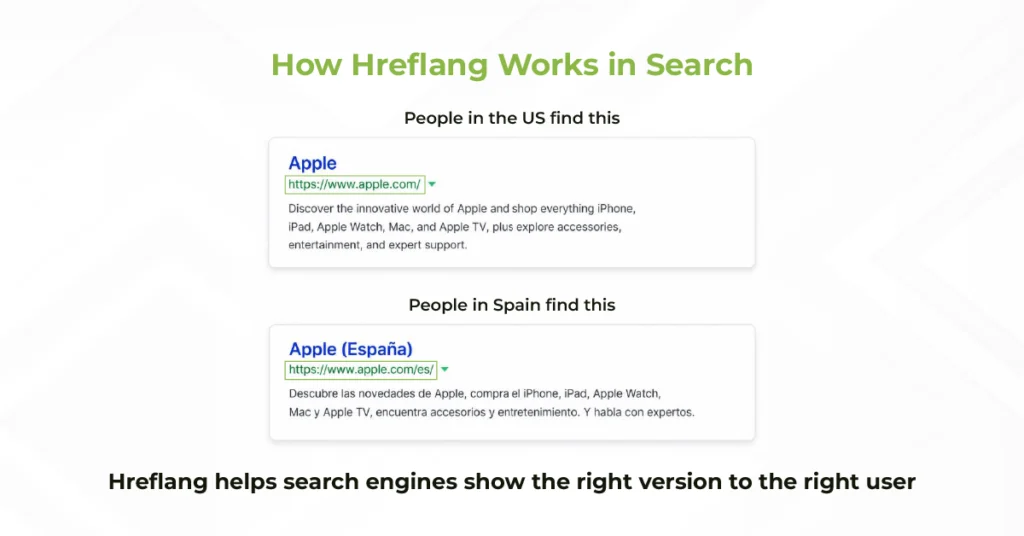
Hreflang does not push a page higher in search results. Instead, it helps search engines understand that several URLs are versions of the same content for different languages or regions.
Think of it as a routing signal: these pages belong together, and this is the version that should be shown to this user.
Most hreflang errors start with three basic rules.
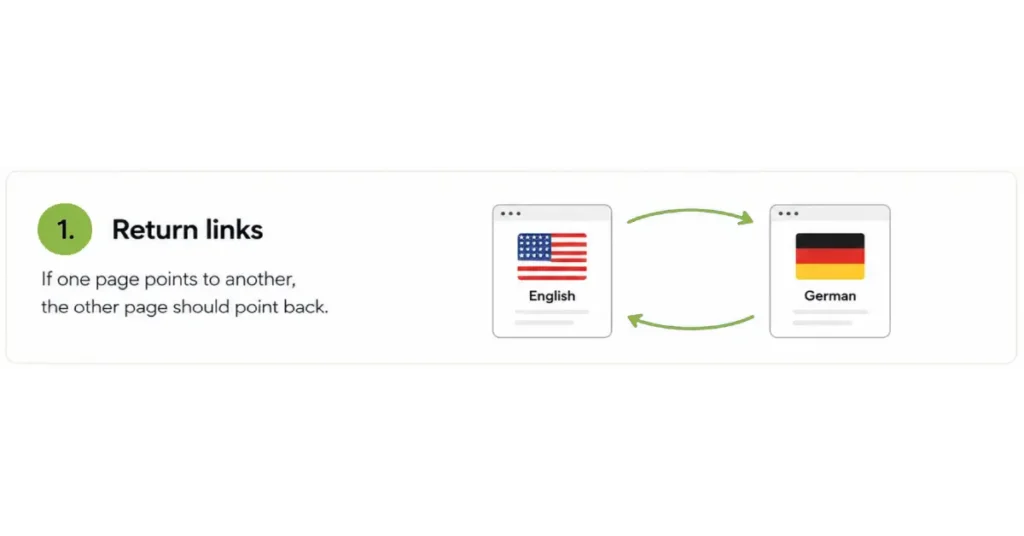
1. Every page needs return links
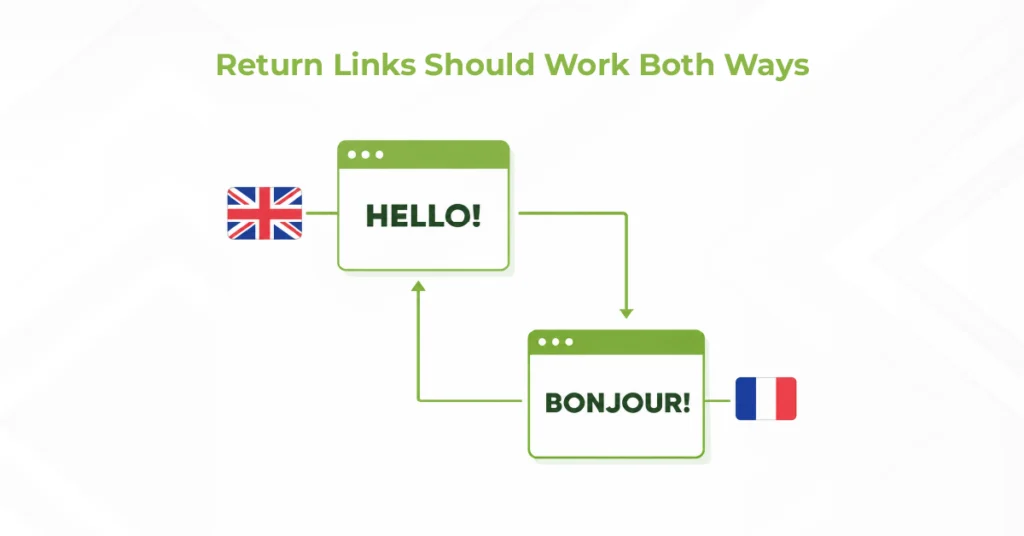
If an English page points to a German version, the German page should point back to the English page. Google calls these return links.
For example:
English → German
German → English
Problems often appear when websites change. Your team might remove an old English product page while the French and German versions still point to it.
Visitors may not notice anything, but the hreflang cluster is no longer complete.
2. Every page should reference itself
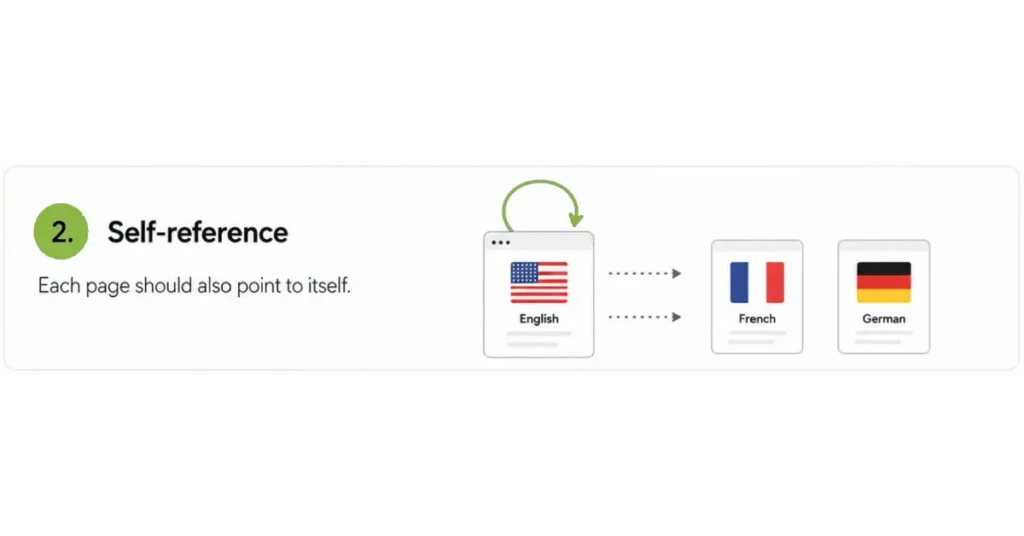
Each page should also include a hreflang tag that points back to itself.
An English page with French and German alternatives should therefore reference the English, French, and German URLs.
This closes the loop and makes the relationship mathematically clear to search engines.
These hreflang self-referencing tags are simple, but they are easy to miss when tags are added manually.
3. Use x-default when you need a fallback
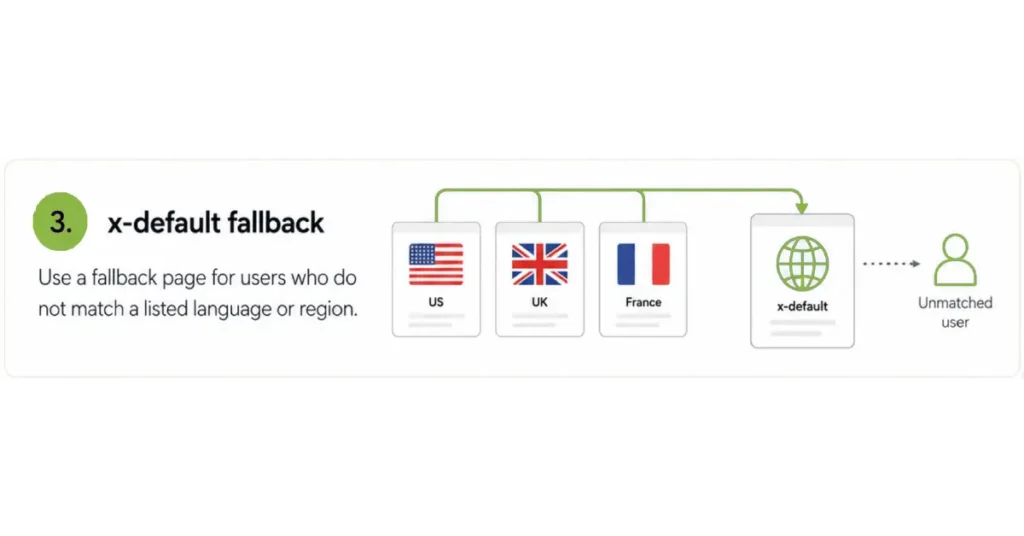
The x-default tag tells Google which URL to serve when a user’s language or region doesn’t match any of your specific targets (for example, a Spanish speaker visiting a site that only targets the US, UK, and France).
While not strictly mandatory for every setup, Google highly recommends it for global landing pages or language selectors. Without it, you risk sending users to a page they can’t read, which increases bounce rates and frustrates your audience.
On paper, these three rules are simple. In practice, the challenge is keeping them correct as pages are added, removed, redirected, or updated.
What Happens When Hreflang Clusters Break?
A broken hreflang setup usually does not create an obvious problem overnight.
The page still loads. Your translations are still there. Everything may look normal to your team.
The problem appears in search.
A user in France might search for your brand and see the English page instead of the French version. Your overall rankings may look healthy, yet users are landing on the wrong experience.
That can affect clicks, engagement, and conversions.
This is where hreflang and international SEO connect. Hreflang is not a ranking boost by itself. It helps search engines understand which localized page belongs to which audience.
That is why correcting hreflang is often an important technical step within Multilingual SEO Services, especially before investing more in localized content and market-specific optimization.
Why Hreflang Breaks Differently Across Platforms
Hreflang implementation is not one-size-fits-all. How it breaks depends entirely on your tech stack.
A custom site might generate tags via templates or an XML sitemap. WordPress typically relies on a plugin, while Shopify handles the process natively through international market settings.
Take WPML. It automatically generates hreflang tags based on your configured languages. But conflicts arise when a secondary SEO plugin, custom theme logic, or manual code injects its own annotations. Suddenly, you are maintaining multiple, conflicting sources of hreflang truth without realizing it.
The critical question is not, “Does WPML support hreflang?” (It does). The critical question is, “Is WPML the only system controlling hreflang on this domain?”
Shopify operates similarly but natively. It auto-generates and updates tags when market domains or language settings change.
The takeaway for project and operations leads: before adding manual code, audit what your CMS already generates. Duplicate or conflicting tags are just as damaging to your SEO as missing ones.
How Duplicate and Conflicting Hreflang Tags Cause Silent Problems
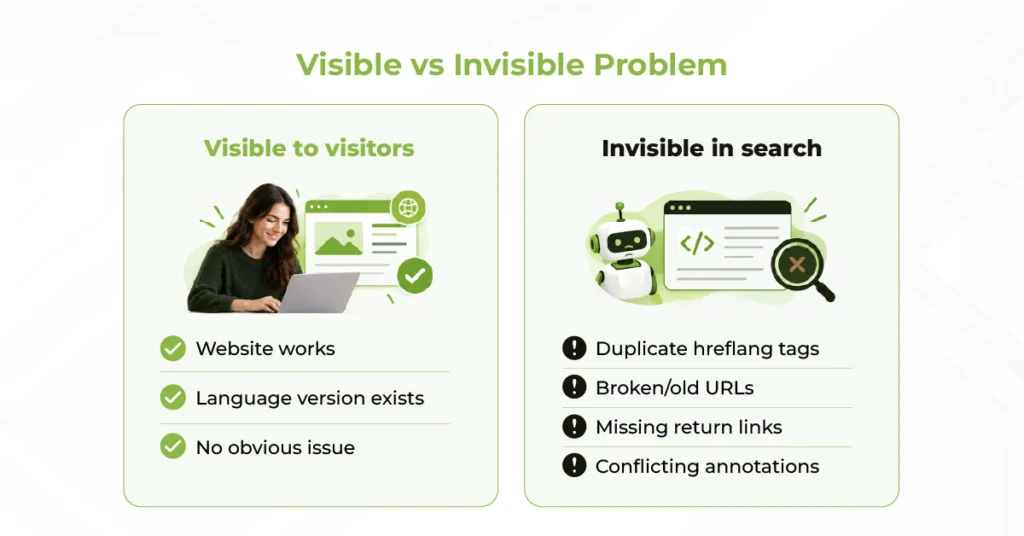
One of the hardest parts of fixing hreflang mistakes is that visitors usually cannot see them.
The page still loads. The translation still appears. The navigation still works.
The problem exists inside the signals sent to search engines.
Suppose your page contains these instructions:
German → /de/product-a/
German → /de/product-b/
You have now assigned two different URLs to the same language inside one hreflang set.
Which one should Google use?
Conflicting annotations make that relationship unclear, and search engines may ignore or misinterpret those signals rather than simply choosing the URL you intended.
Similar problems appear when:
- old URLs remain in hreflang tags after redirects
- a plugin and template both generate annotations
- different implementation methods contain different URL sets
- hreflang points to non-canonical or broken URLs
- one page is missing its return links
A normal visual review of the website will not reveal most of these issues.
You need to crawl and validate the implementation itself.
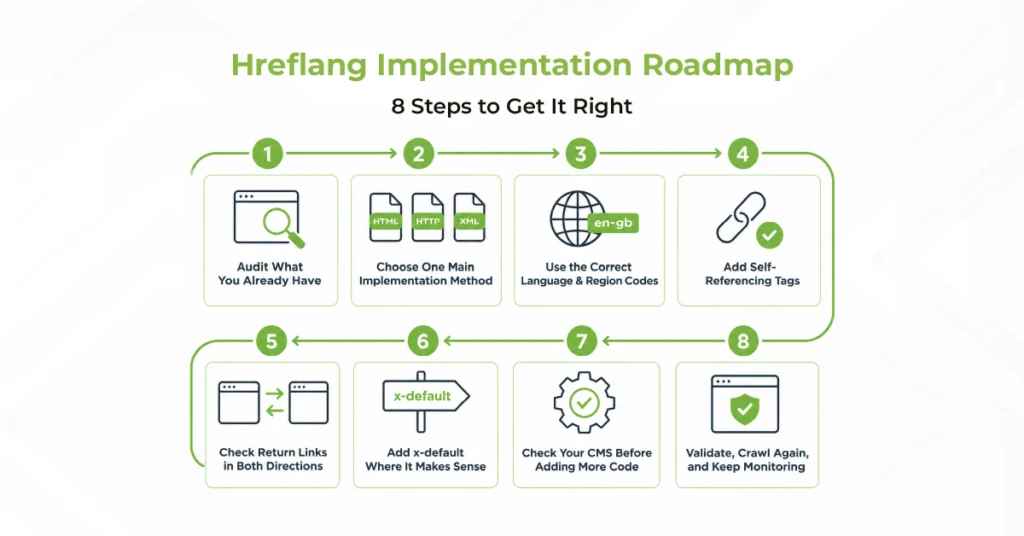
Hreflang Implementation Roadmap: 8 Steps to Get It Right
Reliable hreflang implementation for global sites becomes much easier when you follow a clear order instead of fixing individual errors as they appear.
1. Audit What You Already Have
Start with a full crawl.
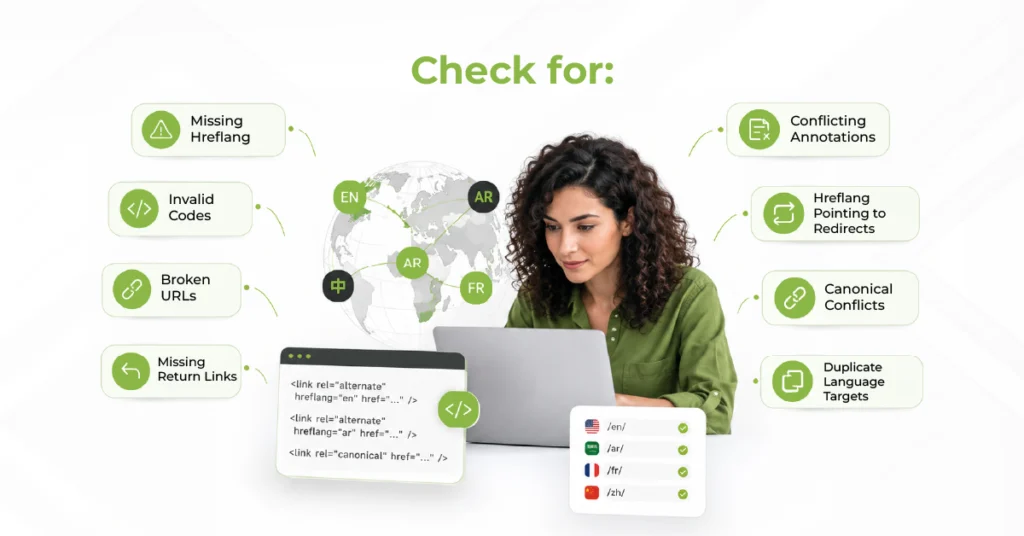
Map every language and regional version, then check for missing hreflang, invalid codes, broken URLs, redirects, missing return tags, canonical conflicts, and duplicate targets.
This gives you a clear starting point before making changes.
2. Choose One Main Implementation Method
Google supports three main methods.
Hreflang HTML implementation places link tags inside the page’s <head> and works well for normal HTML pages.
Hreflang HTTP headers are useful for non-HTML content such as PDFs.
Hreflang in XML sitemap can be easier to manage on large sites because the language relationships are kept centrally.
You do not need to repeat the same setup across all three. Choose the method that best fits your website and workflow.
3. Use the Correct Language and Region Codes
A basic hreflang tag syntax looks like this:
<link rel=”alternate” hreflang=”en” href=”https://example.com/page/” />
For regional targeting:
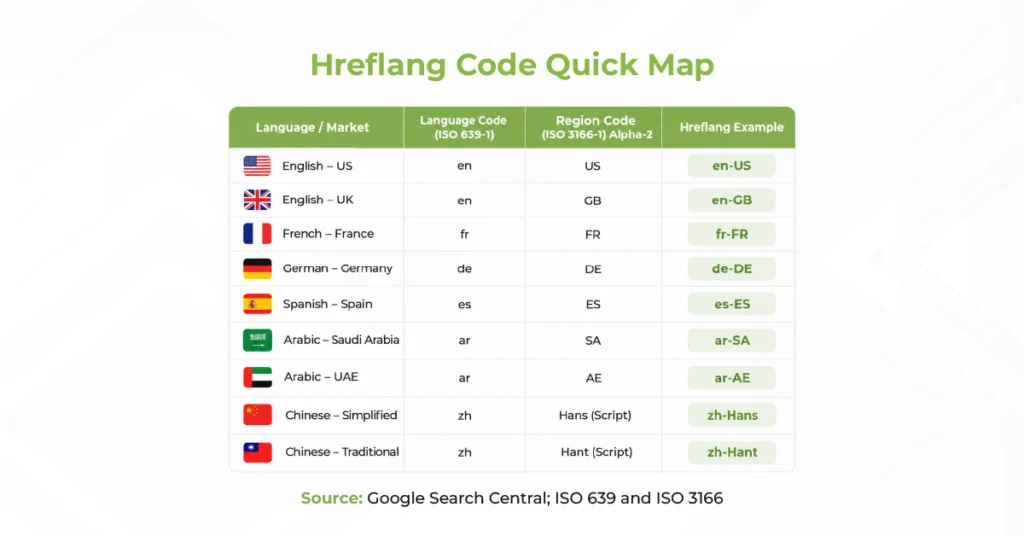
<link rel=”alternate” hreflang=”en-gb” href=”https://example.com/uk/page/” />
The language normally uses an ISO 639-1 two-letter code. If you add a region, use an ISO 3166-1 alpha-2 country code.
The order matters. en-gb means English for the United Kingdom.
The technical setup should also match how people actually search. Pairing it with Multilingual Keyword Research helps ensure each localized URL targets the terms and search intent people use in that market.
4. Add Self-Referencing Tags
Each page in the set should reference itself alongside the alternative versions.
For example:
en → English URL
fr → French URL
de → German URL
The same set should appear across the corresponding localized pages.
This is one of the simplest hreflang best practices, yet it is frequently missed during manual implementation.
5. Check Return Links in Both Directions
Now test every relationship in both directions.
If Page A points to Page B, Page B should point back to Page A.
This becomes especially important when translations are published at different times or when pages are removed from one market but remain live elsewhere.
6. Add x-default Where It Makes Sense
Use “x-default” when you have a logical fallback for users who do not match your listed languages or regions.
For example:
<link rel=”alternate” hreflang=”x-default” href=”https://example.com/” />
An international homepage or language-selection page is a common choice.
Google describes x-default as the version that does not target one specific language or locale.
7. Check Your CMS Before Adding More Code
For hreflang for WPML, confirm that WPML generates the tags correctly and that another plugin or custom template is not creating a second set.
For Shopify, review Markets, domains, subfolders, and language settings before adding anything manually.
This also matters for SaaS companies with market-specific pricing, currencies, features, and landing pages. In these cases, hreflang should work alongside SaaS Localization so the content, URL structure, and market experience stay aligned.
8. Validate, Crawl Again, and Keep Monitoring
Once the implementation is complete, crawl the site again.
Check that every URL:
- returns the correct status
- is crawlable and indexable
- uses the intended canonical
- has the correct language code
- references the right localized URLs
- receives the expected return links
You can also inspect important pages through Google Search Console and monitor indexing and canonical selection.
Do not rely on older guides that recommend Google’s International Targeting report. That report has been retired.
More importantly, validation should not happen only once.
New pages, redirects, migrations, CMS updates, and removed translations can all create new problems. Running a hreflang validation tool or recurring technical crawl helps catch them before they spread across the site.
Before You Call Your Hreflang Setup Done
Correct hreflang implementation is less about adding one tag and more about keeping every localized URL connected correctly.
Before signing off, check the basics again: correct language codes, valid destination URLs, self-references, reciprocal relationships, sensible x-default use, clean canonicals, and no conflicting CMS output.
If your multilingual site changes regularly, recurring hreflang audit services can also catch errors before outdated clusters spread across thousands of URLs.
Get Your Hreflang Implementation Audited and Fixed
Managing hreflang across several languages, countries, and CMS configurations can become difficult quickly.
bayantech can audit your current hreflang implementation, identify broken or conflicting clusters, and build the right setup around your website structure and target markets.
Request a quote, share your CMS, target markets, and current setup so we can scope your hreflang project.