
Most teams don’t struggle with translation; they struggle with what happens after translation.
Your website content changes weekly: new features, pricing updates, compliance notes, and landing page tests. But inside the content management system (CMS), localized versions often lag behind, approvals get stuck, and small edits in one market never reach another.
As a result, your global audience sees inconsistent messaging, your target audience can’t reliably find the right web pages in their preferred language, and the user experience feels off.
That’s why CMS localization is essential. It enables business leaders to have the SEO visibility they need in target markets and keep up with updates without stalling the translation process.
Keep on reading to get the full scope on CMS localization and why businesses need it.
The Real-World Headaches of Managing Localized Websites
CMS localization doesn’t usually fail in a big, dramatic way. It fails through small gaps that compound until performance drops.
- One common scenario is search engines indexing the wrong language page, or surfaces an outdated version in search results.
- A buyer clicks, lands on mismatched content, and bounces fast because the page isn’t in their preferred language—or the message doesn’t match what they saw in the ad or email.
- Product pages are where the risk becomes visible. Pricing changes, currencies update, screenshots get refreshed, and legal text evolves, but localized pages don’t move in sync. Even a small drift can create brand and compliance risk.
- And then there’s the backlog. The “we’ll fix later” list grows into multilingual debt, costly to untangle because every missed update creates more work in the localization process.
What CMS Localization Actually Means
CMS is not about translating the CMS software or changing the admin interface into another language. It’s about localizing the content stored and published through your CMS, so every market receives accurate, up-to-date pages in its preferred language.
In practice, CMS localization means having a reliable way to create, publish, and maintain localized content across regions without losing control of quality, timing, or consistency.
Your English pages are only the starting point. The real challenge is keeping translated content aligned as updates happen.
As a simple definition, CMS localization is the system you build to publish and maintain localized content reliably, so every market sees the right page, in the right language, at the right time.
Choose Your CMS Setup: Traditional vs. Headless CMS (and Why It Matters)
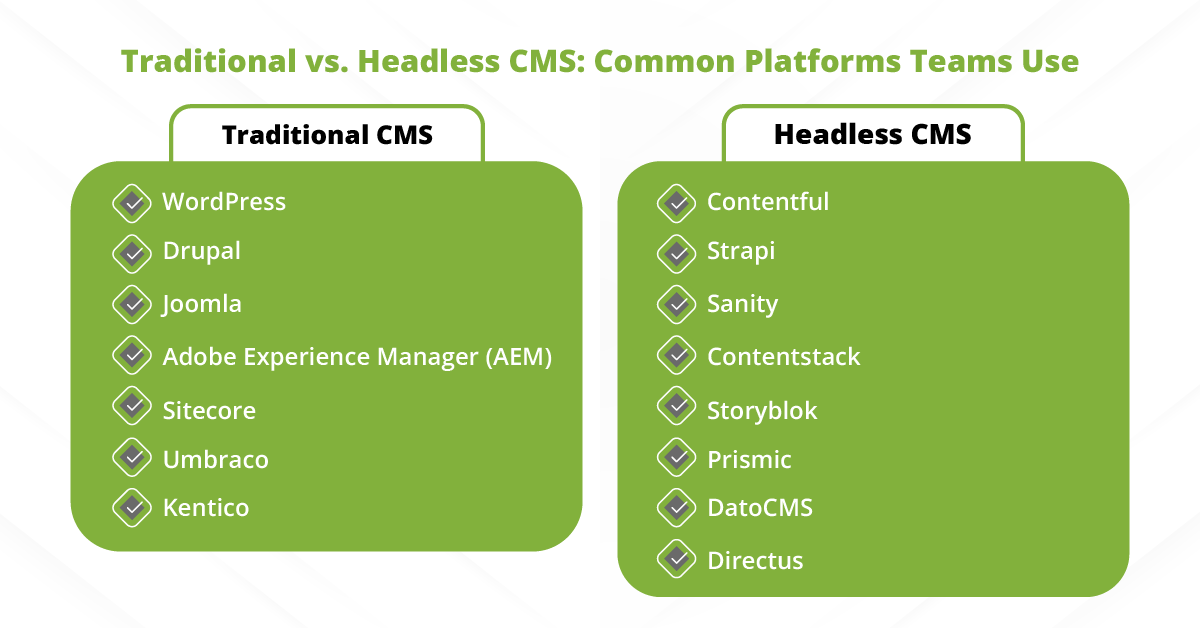
Your CMS setup shapes how easily you can scale CMS localization, especially when content updates are frequent and multiple markets are involved. In general, most teams fall into one of two models: a traditional CMS or a headless CMS.
A traditional content management system (CMS) is what many marketing teams use for websites: pages are created and edited directly in the platform, and publishing is usually straightforward.
It’s often easier for non-technical teams to work in, and plugins can help with workflows, forms, and basic multilingual support. For a single website with moderate update velocity, this can be a practical choice.
A headless CMS separates content from presentation. You store content centrally, then deliver it to multiple channels—web, app, help center, product UI—through APIs. This is especially useful when you need consistent messaging across many touchpoints and locales without recreating content repeatedly.
Pick Your Localization Approach: Manual, Automated, or Integrated
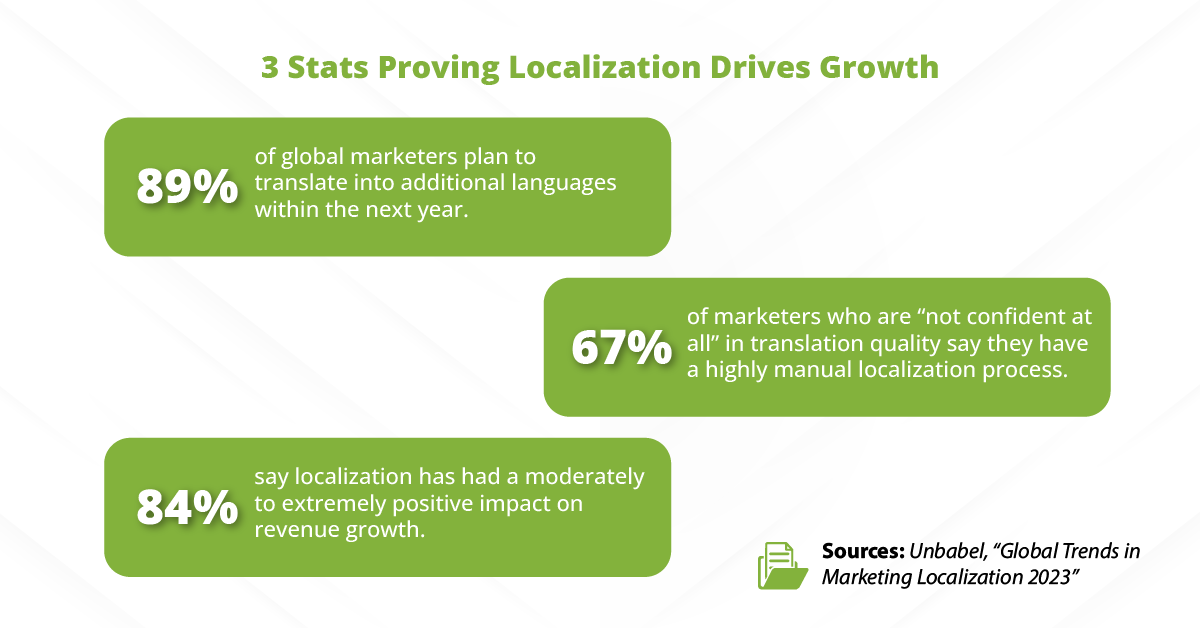
There isn’t one “best” way to localize a site; there’s the approach that fits your scale, risk level, and how fast your content changes. Most teams choose between three paths:
- Manual localization
- Automated translation
- An integrated model designed for repeatable delivery
Manual localization is common early on. Someone exports content, sends it to vendors or internal linguists, then pastes translations back into the CMS. It can work for small sites and a few languages, but it becomes fragile at scale.
Automated translation speeds things up when you need coverage quickly—especially for large knowledge bases or high-volume content. But speed isn’t the same as readiness. Without review steps, terminology controls, and content-owner approvals, automation can introduce brand risk and inconsistent messaging.
Integrated localization is what growing teams adopt when they need reliability. In this model, your CMS connects directly to translation management systems, so content moves through structured translation processes: extraction, assignment, translation, review, approvals, and publishing, without manual copy-paste.
If you’re managing ongoing updates across multiple languages, an integrated approach is usually the most stable foundation for localized versions that stay accurate over time.
A Step-by-Step Localization Workflow for CMS Localization
Step 1: Audit Your Website Content (What to Localize First)
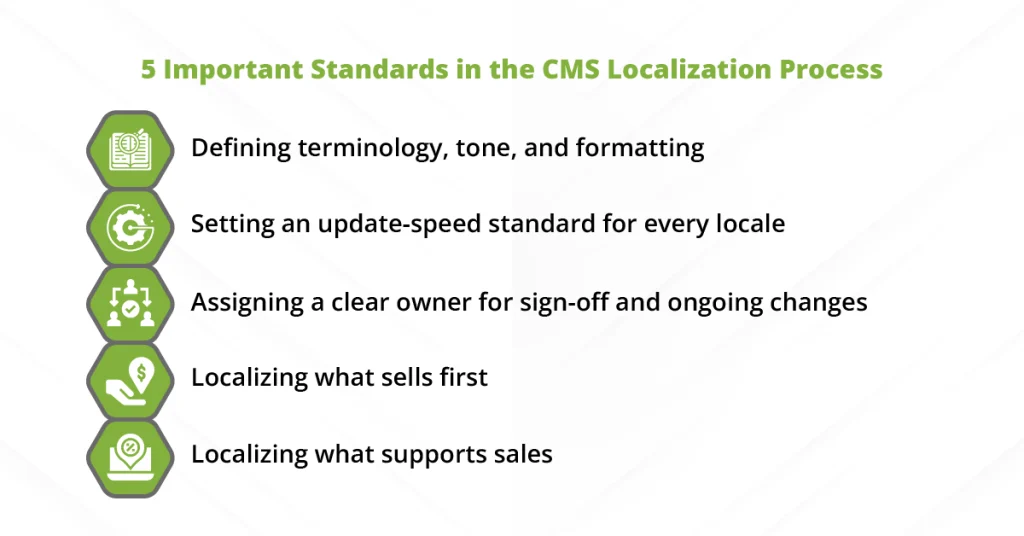
The fastest way to see ROI from CMS localization is to prioritize the pages that drive leads and revenue: core service pages, pricing or plan pages, and high-performing landing pages.
Then, cover the supporting layers—FAQs, case studies, product documentation, and help content—based on how often they influence buying decisions.
Step 2: Define Your Target Audience and Language Plan
Next, align markets to business goals. Don’t assume regions map cleanly to languages. One region can require multiple locales, and one language can span multiple markets.
Use demand signals (inbound leads, sales pipeline, web analytics, market expansion plans) to decide which locales to launch first and which ones to phase later.
Step 3: Prepare Content for Translation (Reduce Rework)
Good localization starts with clean source content. Standardize headings, keep reusable sections consistent, and use structured content blocks when possible so updates don’t require rebuilding pages from scratch. Make CTAs clear and repeatable across templates.
Avoid embedding text inside images, and keep key messages as editable text so they can be translated and updated easily.
Step 4: Run Translation + Review Using the Right Management Tools
Now, build a workflow that supports both speed and control. Assign roles clearly so nothing gets stuck or duplicated:
- Requester (submits the content for localization)
- Translators (produce the first translated version)
- Reviewers (validate language quality and market fit)
- Approvers (sign off for publishing)
Connect your CMS to translation management systems so that content moves through structured stages, rather than via email threads and spreadsheets. This creates traceability and version control.
Step 5: Publish and Keep Localized Versions Updated
Set a release cadence and define update triggers: what happens when pricing changes, a product feature is renamed, or a key landing page gets refreshed?
Use change tracking so you can see what was edited, what needs translation, and what is waiting on review.
For high-impact pages, schedule recurring reviews (monthly or quarterly) to prevent drift.
CMS Localization for SEO: How to Win in Search Results
Great localization only pays off if people can actually find it. For SEO, that means making it easy for search engines to understand which version of your web pages belongs to which language and market, then keeping localized content accurate as updates roll out.
- Start with clear URLs for each language version. Don’t rely on auto-redirect alone. Redirects can misfire (VPNs, browser settings, shared links), and they don’t replace a clean structure that search engines can crawl and index. A dedicated URL per locale also makes it easier to measure performance and troubleshoot issues.
- Next, strengthen language signals. Set the correct page language, localize metadata (titles and descriptions), and keep navigation consistent so both users and crawlers understand the relationship between versions. A structured approach reduces the chance that multiple versions compete with each other.
- Avoid publishing “duplicate” localized pages that don’t reflect real regional intent. If your French page is identical for multiple regions with no market-specific differences, you risk diluting performance.
- Finally, measure per locale, not just globally. Track impressions, clicks, and conversions by language version to see what’s actually working. When one locale underperforms, you can spot whether the issue is visibility, messaging, or freshness.
Platform Compatibility Checklist: What to Demand From Your CMS
- Easy collaboration for teams: Your team should be able to manage content across languages with confidence—without duplicating pages, overwriting updates, or losing track of what changed.
- SEO-friendly localization options: The CMS should support clean structures for localized pages, localized metadata, and consistent internal linking so search performance can scale per market.
- Integrates well with translation management systems: Native integrations or API support matter. A smooth connection to translation management systems reduces manual handoffs and keeps workflows trackable.
- Supports your content types and workflows: Marketing pages, product pages, help centers, apps, gated assets—your CMS should handle your real content mix, not just one section of the site.
How a CMS Localization Process Applies to a Real-World Case
Imagine a SaaS company expanding into three new markets. The English site updates weekly, but translations lag behind because requests live in spreadsheets and updates are pasted manually.
Over time, localized versions drift. One market shows old pricing, another has outdated feature copy, and users hit the wrong page in their preferred language.
Now, apply the workflow we covered: assign a content owner per locale, route updates into a translation queue, and require a clear review + approval step before publishing.
With the CMS as the source of truth and changes tracked consistently, updates don’t get lost.
The outcome is practical: localized versions stay aligned with English, launches happen on schedule, and support tickets drop because users see accurate, current content in the language they expect.
Partner with bayantech: Request a CMS Localization Audit
Want localized versions that stay accurate and visible in search engines? bayantech can review your CMS setup, your workflow, and your highest-impact web pages. Then, we share a clear localization action plan.
What’s included in the audit:
- A review of your top 10 pages (the ones most likely to drive leads and conversions)
- A localization workflow recommendation tailored to how your team creates, reviews, and publishes content
- A list to reduce errors, cut rework, and speed up publishing across locales
Order our CMS localization services today!