
After dedicating countless hours to localizing your in-app text and visuals, it’s essential to remember that the journey for your users doesn’t start within the app.
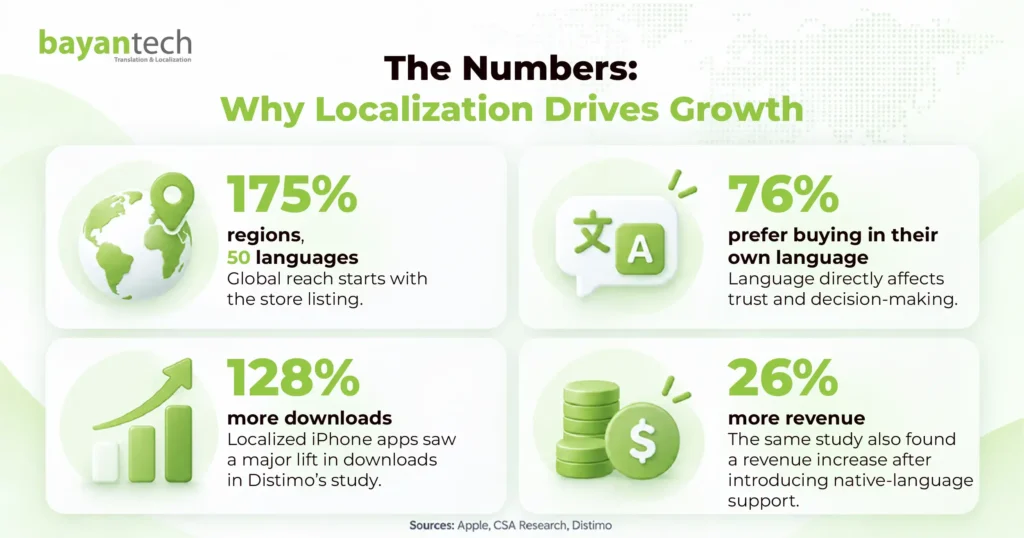
If potential users cannot find your app in the store, even the best translations won’t matter. With the Apple App Store available across 175 countries and regions, there’s a vast opportunity to reach audiences beyond English-speaking markets.
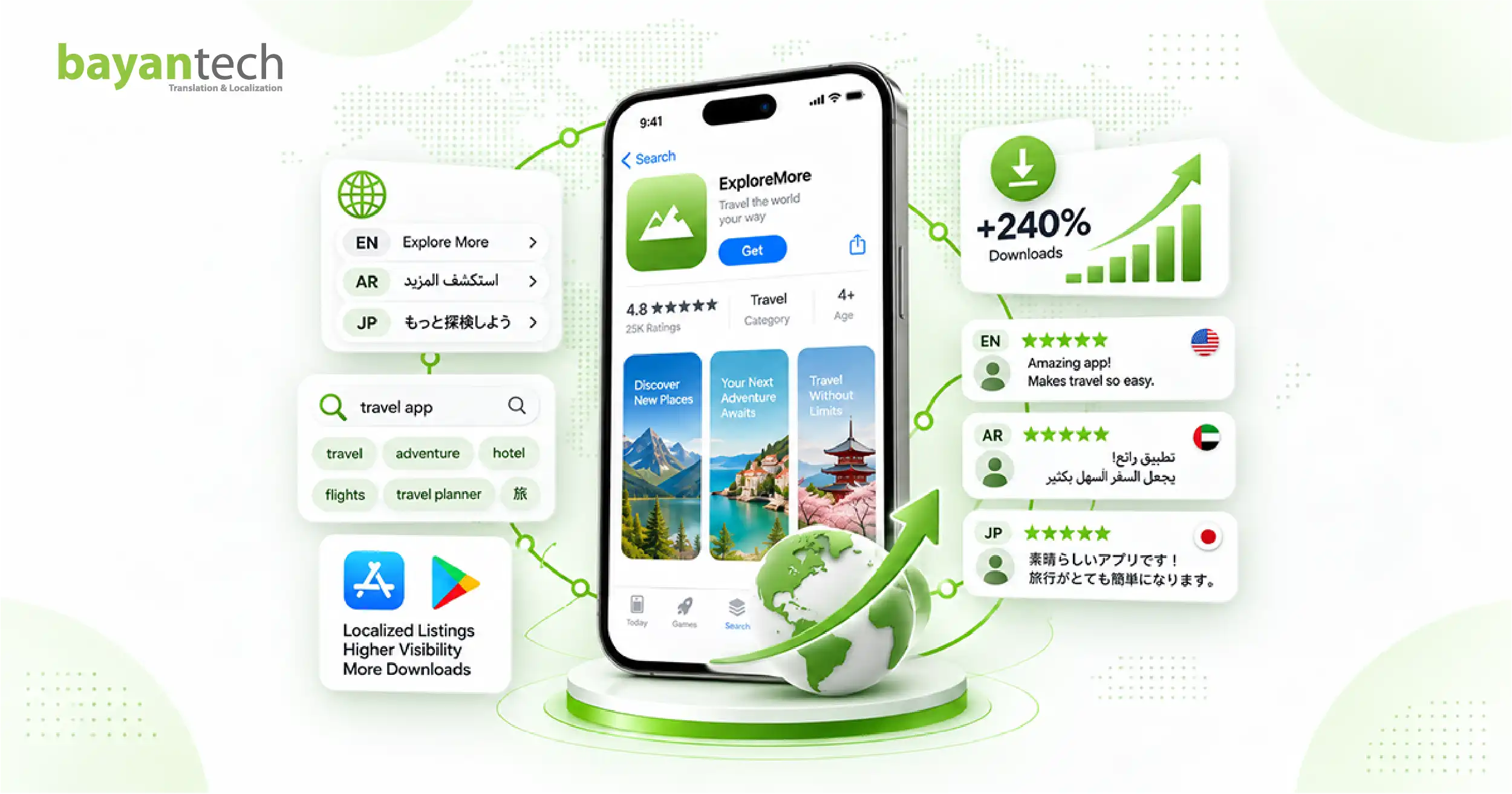
Successful app store localization ensures that your app not only appears in relevant searches but also resonates with users in their own language, highlighting the benefits that matter most to them.
In this guide, we’ll cover the key steps to localize your app store listing for better visibility and more downloads.
What Is App Store Localization?
App store localization is the process of adapting your app’s store listing for a specific language and market.
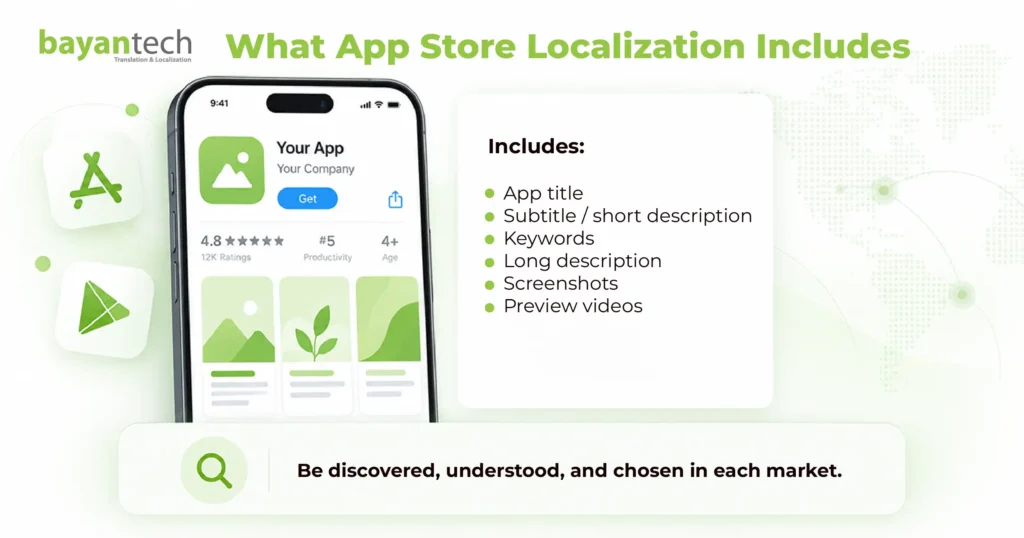
It covers the app title, subtitle or short description, keywords, long description, screenshots, and video assets.
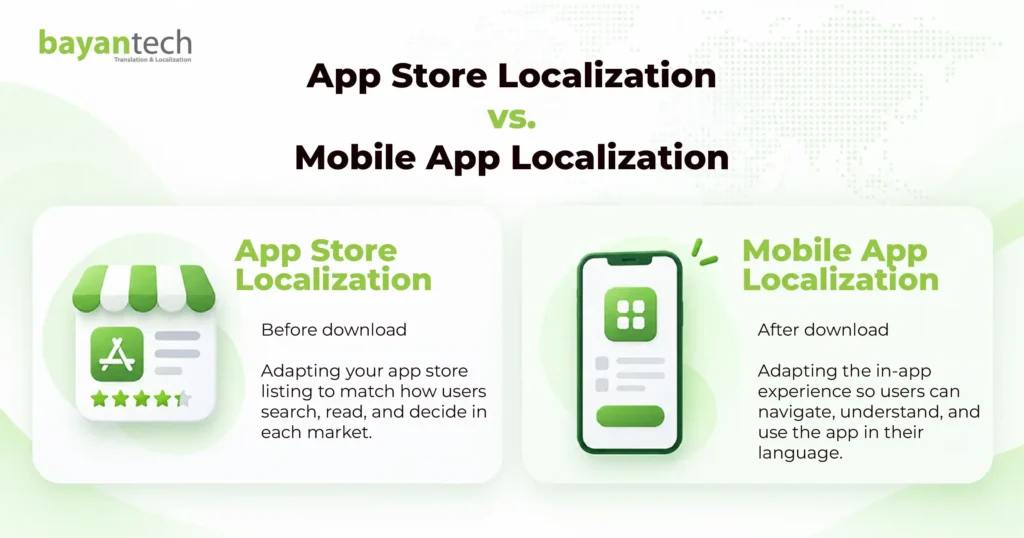
It is different from mobile app localization, which adapts the experience inside the app after download. It also goes beyond translation. A direct translation may be linguistically correct but still miss the words users actually search for or the benefits that matter to them.
This is where ASO localization and app store optimization translation meet.
Some companies start with Minimum Viable Localization (MVL). Instead of localizing the full product immediately, they adapt the store listing and screenshots first to test demand in a new market. As a starting point, this can work, but why is it important to localize your app store?
Why App Store Localization Drives Growth
Users are more likely to engage with an app when they understand what it offers and feel that the listing was created for their market.
App store localization supports growth in four main ways:
Expanded keyword reach. Native keyword research helps your app appear for searches an English listing cannot target.
Higher conversion rates. Local language, familiar messaging, and relevant visuals can make users more confident about downloading.
Less dependence on paid acquisition. Better organic discovery can support acquisition without relying entirely on ads.
Stronger local trust. A well-localized listing shows users that the app genuinely supports their language and market.
Together, these benefits support both multilingual app downloads growth and app store conversion rate optimization.
What App Store Localization Actually Includes
A strong localization strategy covers more than the app description.
App Title Localization
Both Apple and Google Play limit app titles to 30 characters.
That leaves little space, so app title localization must balance the brand name, product meaning, and relevant local terminology without making the title feel forced.
Subtitle or Short Description
Apple provides a subtitle of up to 30 characters.
Google Play offers a short description of up to 80 characters.
Use this space to communicate the app’s main value in language that feels natural to local users.
Apple Keyword Field
Apple provides a dedicated keyword field of up to 100 bytes.
Users do not see it, but it can support discovery. Rather than translating your English keyword list, research the terms people actually use in each market.
App Description Localization
Both platforms allow long descriptions of up to 4,000 characters.
Good app description localization adapts the product benefits, terminology, examples, and tone instead of following the English source sentence by sentence.
App Screenshot Localization
App screenshot localization includes translated text overlays, adapted messaging, appropriate images, and RTL layouts where needed.
Screenshots are often one of the first things users notice, so they play an important role in conversion.
Preview Videos
Video assets may also need subtitles, voice-over, localized captions, or market-specific footage.
Together, these elements form your app store metadata translation and localization strategy.
Localized App Store Keyword Research: Never Translate, Always Research
One of the biggest ASO mistakes is translating an existing English keyword list into multiple languages. The translation may be correct and still have little search demand.
And that usually happens because people describe the same product differently across markets.
A user in the US may search for a budgeting app using one phrase, while users in Saudi Arabia, Japan, or Brazil may use completely different terminology.
Effective localized app store keyword research should therefore start with the target market.
Look at:
- local search terms and autocomplete suggestions;
- competing apps in the target storefront;
- local search volume and competition;
- category terminology;
- abbreviations and common phrases;
- differences in user intent.
The principle is similar to international SEO. Translating a high-volume English keyword does not automatically create a valuable keyword in another language.
Apple also supports multiple metadata localizations across different storefronts. In some countries, additional languages can create extra keyword opportunities. For example, Algeria supports English, Arabic, and French metadata.
For keyword localization for app stores, the rule is simple: Research how local users search; do not assume they search like English-speaking users.
Apple App Store Localization vs. Google Play Localization
The two platforms need different ASO strategies.
| Area | Apple App Store | Google Play |
| App title | 30 characters | 30 characters |
| Secondary field | 30-character subtitle | 80-character short description |
| Keyword field | Dedicated field up to 100 bytes | No dedicated keyword field |
| Long description | Up to 4,000 characters | Up to 4,000 characters |
| Localization | Localized metadata by supported locale | Localized store listings |
| Screenshots | Device-specific requirements | Multiple device-type requirements |
For apple app store localization, Apple provides a dedicated keyword field that is not visible to users.
For google play localization, there is no equivalent hidden keyword field. Google relies more heavily on visible store-listing content and how clearly the listing explains the app.
This means your iOS app localization and Android app localization strategies should share research but not identical metadata.
Do not build one listing and copy it across both stores.
App Screenshot Localization: A Major Conversion Opportunity
Users may never read your full description, but they are likely to notice your screenshots. That makes screenshots a major part of app store conversion rate optimization.
So, start with the text. If your title and description are in Arabic while every screenshot remains in English, the experience feels incomplete.
Then you need to review the wider creative.
- Text overlays: Rewrite captions naturally in the target language.
- Value propositions: The most persuasive feature may differ between markets.
- Cultural imagery: Review people, locations, currencies, examples, and lifestyle references.
- RTL layout: Arabic and Hebrew require right-to-left thinking. Visual hierarchy, UI examples, and directional elements may need to be mirrored.
- Technical requirements: Each store has its own screenshot dimensions and device specifications, which should always be checked before publishing.
AI-Powered ASO Localization: Speed Still Needs Human Review
AI can make multilingual app listing production faster. But AI cannot replace local market knowledge.
AI-powered ASO translation can help create first drafts of descriptions, suggest copy variations, process large volumes of text, and speed up screenshot localization.
Machine translation for app listings cannot reliably tell whether a keyword has real local demand or whether an image feels culturally appropriate.
A practical workflow could look like this:
- Local keyword research
- AI-assisted draft
- Native linguist review
- ASO review
- Screenshot adaptation
- App localization QA
- Publishing
Human review is especially important for character limits, terminology, cultural references, and RTL design.
A complete app localization workflow should therefore connect linguistic, visual, and technical QA.
So, this means that AI can help teams move faster and native expertise makes sure the result works in the market.
Real App Store Localization Examples
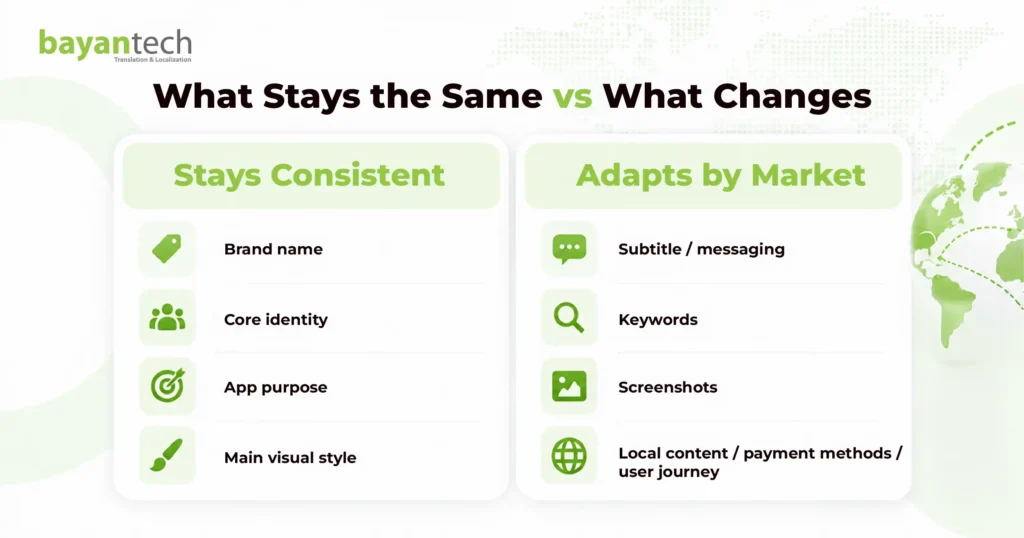
Good localization does not mean changing everything.
It means knowing what should stay consistent and what should adapt.
Flipboard, for example, has kept its recognizable brand name while localizing descriptive messaging around the product. This protects the global brand while making the listing easier to understand locally.
Large platforms such as Airbnb also adapt much more than language. Their international experiences include local content, currencies, payment methods, and user journeys.
Netflix follows a similar market-first principle by adapting content presentation and promotional messaging for different audiences.
The takeaway is simple.
Your brand name may stay unchanged. Your subtitle may change. Your screenshots may highlight different benefits. Your keywords may be completely different.
Successful app localization for global markets protects brand consistency while adapting what influences discovery and conversion.
5 App Store Localization Mistakes to Avoid
1. Translating Keywords Instead of Researching Them
A correct translation may have little search demand. That’s why always research keywords based on native search behavior in every target market.
2. Using the Same ASO Strategy for iOS and Android
Apple and Google Play use different metadata structures. Treating them as identical can waste valuable optimization opportunities.
3. Leaving Screenshots Untranslated
A localized description followed by English-only screenshots creates an inconsistent experience and can weaken trust.
4. Launching in Too Many Markets at Once
Start with a smaller number of high-potential markets. That is to say, measure performance, improve the process, and then scale.
5. Publishing Machine Translation Without QA
AI-generated copy can sound correct while missing local meaning or tone. Native review in the process helps catch language, layout, terminology, and cultural problems before users do.
ASO for Emerging Markets
Global growth does not have to begin with the most competitive markets. ASO for emerging markets can uncover opportunities where local-language listings are still less developed.
Arabic-speaking markets are a strong example. Countries including Saudi Arabia, the UAE, Bahrain, Qatar, Kuwait, and Oman support Arabic App Store localization.
Good Arabic localization requires more than translating English metadata. Teams need native Arabic keyword research, market-appropriate messaging, and RTL-aware screenshots.
Other markets also require specific approaches. Brazil needs Brazilian Portuguese rather than generic Portuguese. Indonesia has its own search and mobile behavior. India supports an expanding range of local languages across the App Store.
Store localization should also connect with software localization.
If users download a localized app listing and immediately enter an English-only interface, strong acquisition can quickly turn into poor retention.
Frequently Asked Questions
What is app store localization?
App store localization adapts your store listing for a specific language and market. It can include titles, descriptions, keywords, screenshots, videos, and other creative assets that influence discovery and downloads.
What is the difference between app store localization and in-app localization?
App store localization covers what users see before downloading. In-app localization adapts the actual product experience after installation, including menus, onboarding, buttons, notifications, and help content.
How do iOS and Google Play handle keywords differently?
Apple provides a dedicated keyword field of up to 100 bytes. Google Play does not provide the same hidden field, so its store-listing content needs a different optimization approach.
Should I translate app store keywords?
No. Research them for each market. A popular English keyword may have very little search demand when directly translated into another language.
How long does app store localization take?
It depends on the number of markets, metadata volume, screenshots, keyword research, review stages, and QA requirements. An MVL project can move faster than full in-app localization because it focuses first on the store listing and creative assets.
Reach More App Users in Every Market
Effective app store localization combines native keyword research, localized metadata, creative adaptation, platform-specific ASO, and human QA.
bayantech supports multilingual apps with native linguistic expertise, technology-assisted workflows, ISO-certified processes, and experience in complex markets including Arabic and RTL localization.
Explore our localization services or request a quote to plan your next app store localization project.